Skip to content

UxPlay

Preview

Tags

  • AirPlay
  • Raspberry Pi
  • Linux
  • Multimedia

Keywords

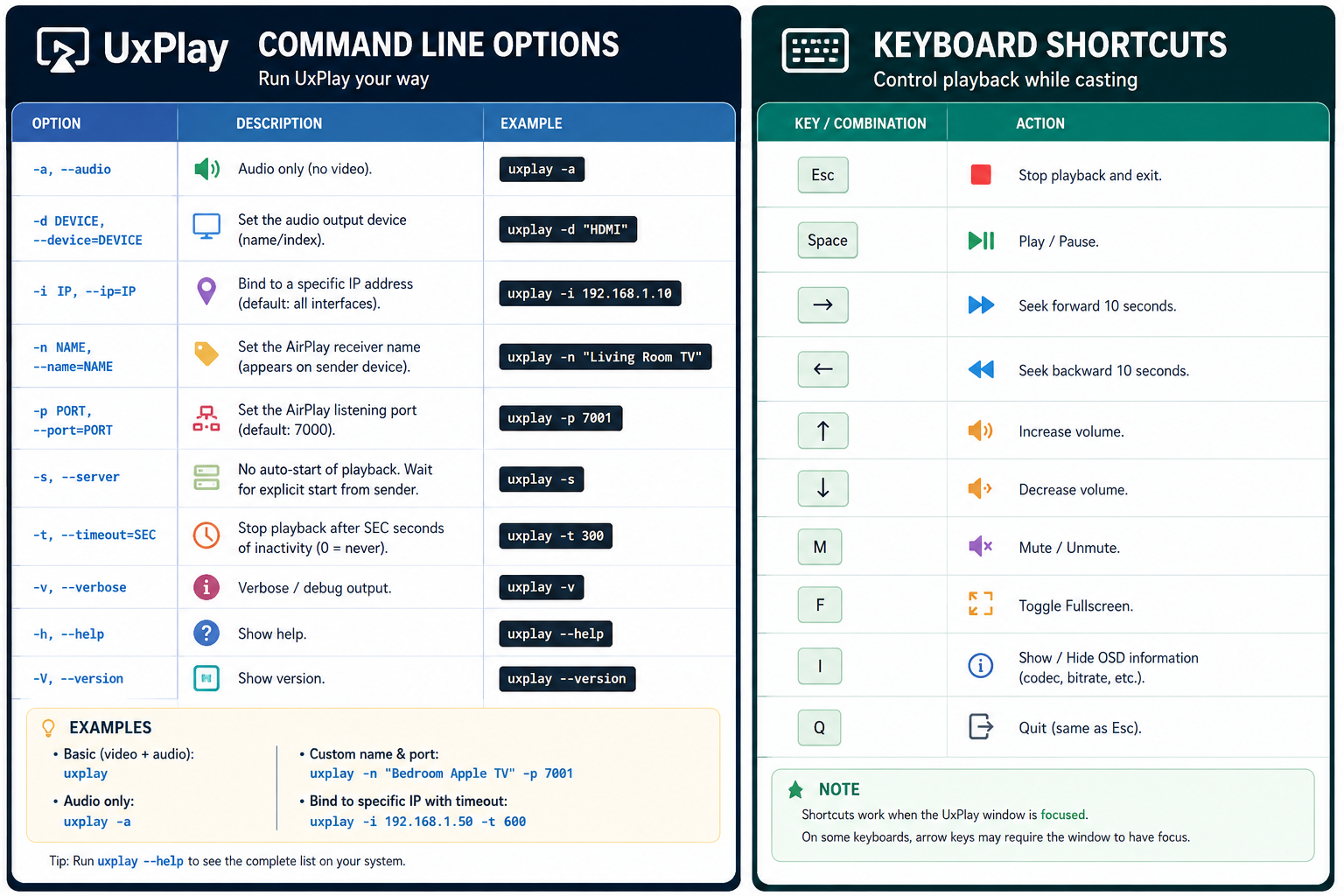
airplay screen mirroring apple uxplay keyboard shortcuts command line


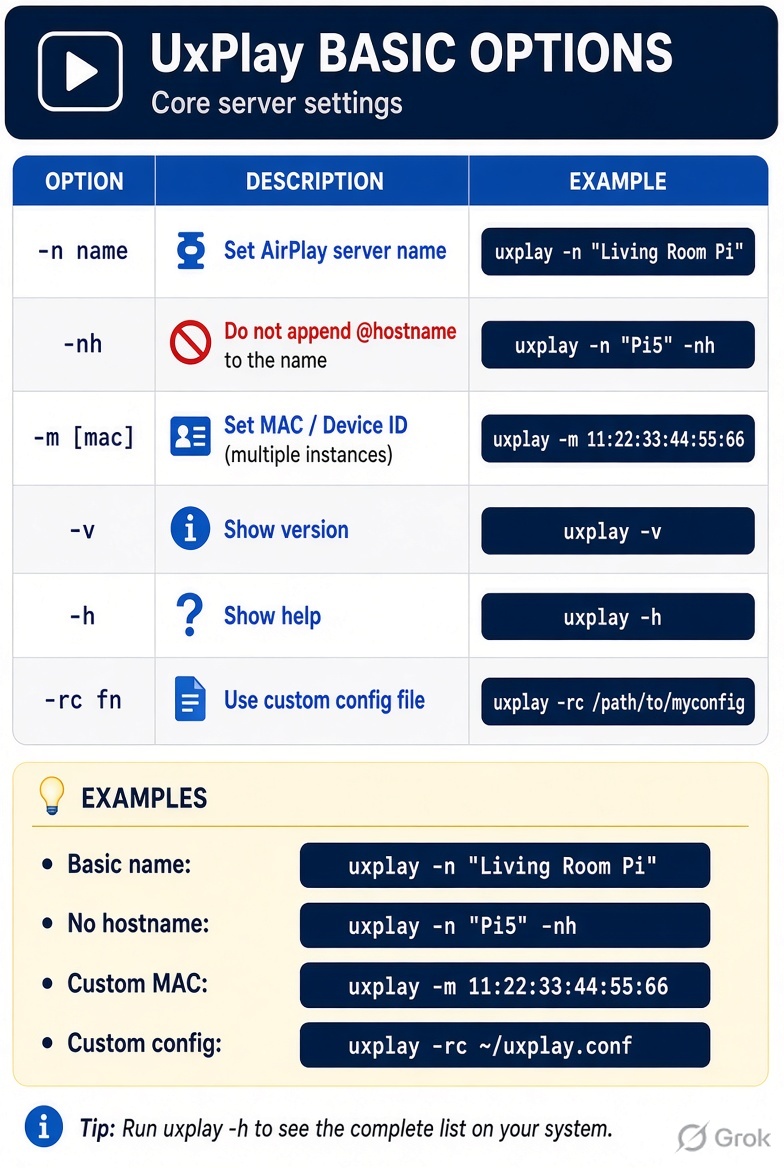
Basic Options

UxPlay Basic Options

Option Description Example
-n name Set AirPlay server name uxplay -n "Living Room Pi"
-nh Do not append @hostname to the name uxplay -n "Pi5" -nh
-m [mac] Set MAC / Device ID (useful for multiple instances) uxplay -m 11:22:33:44:55:66
-v Show version uxplay -v
-h Show help uxplay -h
-rc fn Use custom config file uxplay -rc /path/to/myconfig

Display & Video Options

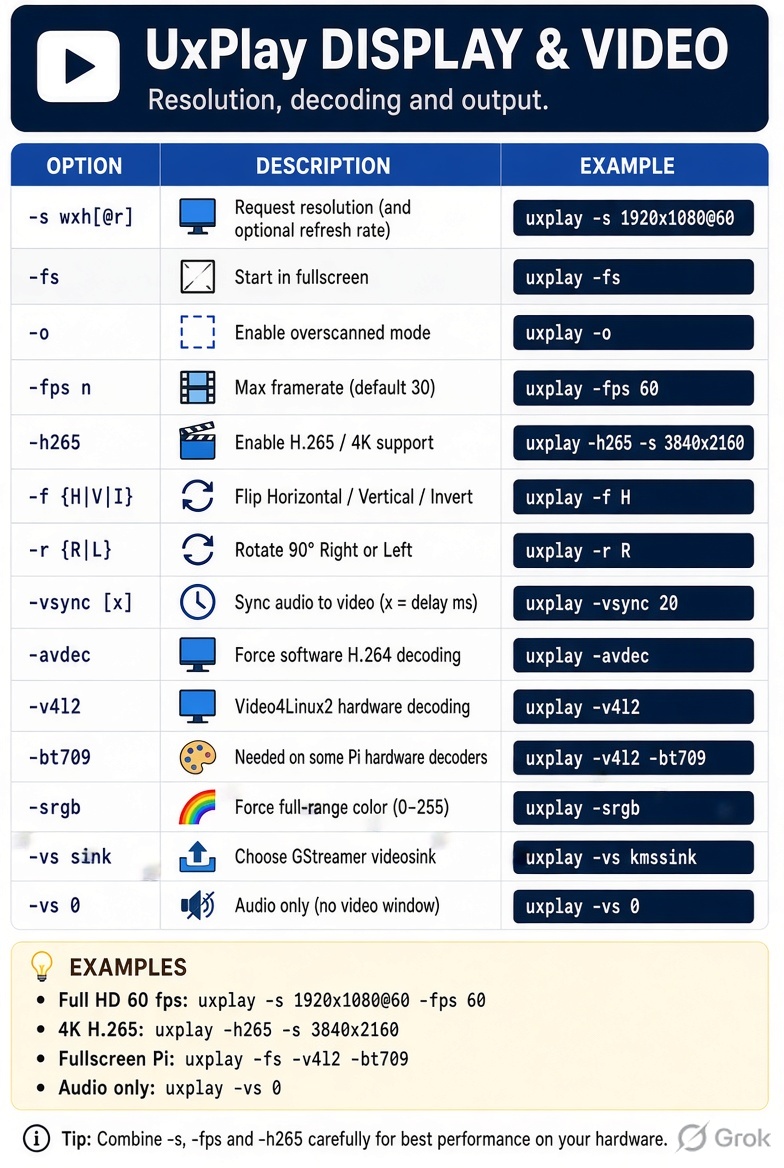
UxPlay Display & Video Options

Option Description Example
-s wxh[@r] Request resolution (and optional refresh rate) uxplay -s 1920x1080@60
-fs Start in fullscreen uxplay -fs
-o Enable overscanned mode uxplay -o
-fps n Max framerate (default 30) uxplay -fps 60
-h265 Enable H.265 / 4K support uxplay -h265 -s 3840x2160
-f {H\|V\|I} Flip Horizontal / Vertical / Invert (180°) uxplay -f H
-r {R\|L} Rotate 90° Right (cw) or Left (ccw) uxplay -r R
-vsync [x] Sync audio to video (default on); x = delay in ms uxplay -vsync 20 or uxplay -vsync no
-avdec Force software H.264 decoding uxplay -avdec
-v4l2 Use Video4Linux2 hardware decoding (Pi 4 and older) uxplay -v4l2
-bt709 Needed on some Raspberry Pi hardware decoders uxplay -v4l2 -bt709
-srgb Force full-range color (0–255) uxplay -srgb
-vs sink Choose GStreamer videosink uxplay -vs kmssink (Pi Lite) / -vs waylandsink
-vs 0 Audio only (no video window) uxplay -vs 0

Audio Options

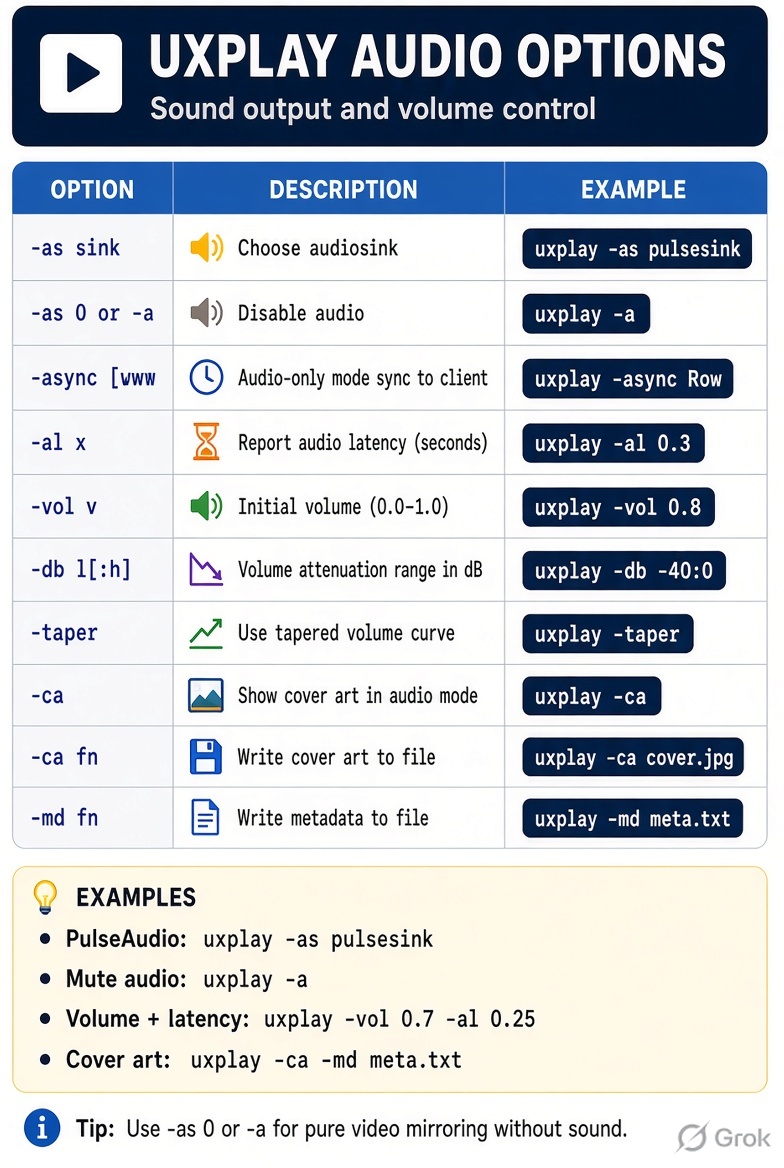
UxPlay Audio Options

Option Description Example
-as sink Choose audiosink uxplay -as pulsesink or -as pipewiresink
-as 0 or -a Disable audio uxplay -a
-async [x] Audio-only mode sync to client (x = delay ms) uxplay -async
-al x Report audio latency to client (seconds) uxplay -al 0.3
-vol v Initial volume (0.0 = mute … 1.0 = full) uxplay -vol 0.8
-db l[:h] Volume attenuation range in dB uxplay -db -40:0
-taper Use tapered volume curve uxplay -taper
-ca Show cover art in audio mode uxplay -ca
-ca fn Write cover art to file uxplay -ca cover.jpg
-md fn Write metadata to file uxplay -md meta.txt

Network & Security Options

UxPlay Network & Security Options

Option Description Example
-p Use legacy ports uxplay -p
-p n Use ports n, n+1, n+2 uxplay -p 7100
-pin [xxxx] Require 4-digit PIN (random or fixed) uxplay -pin 1234
-pw [pwd] Require password uxplay -pw secret
-reg [fn] Keep client registration file uxplay -reg
-restrict Only allow listed device IDs uxplay -restrict
-allow id Allow specific device ID uxplay -allow AA:BB:CC:DD:EE:FF
-block id Always block a device ID uxplay -block AA:BB:CC:DD:EE:FF
-nohold Drop current client when a new one connects uxplay -nohold

Advanced Options

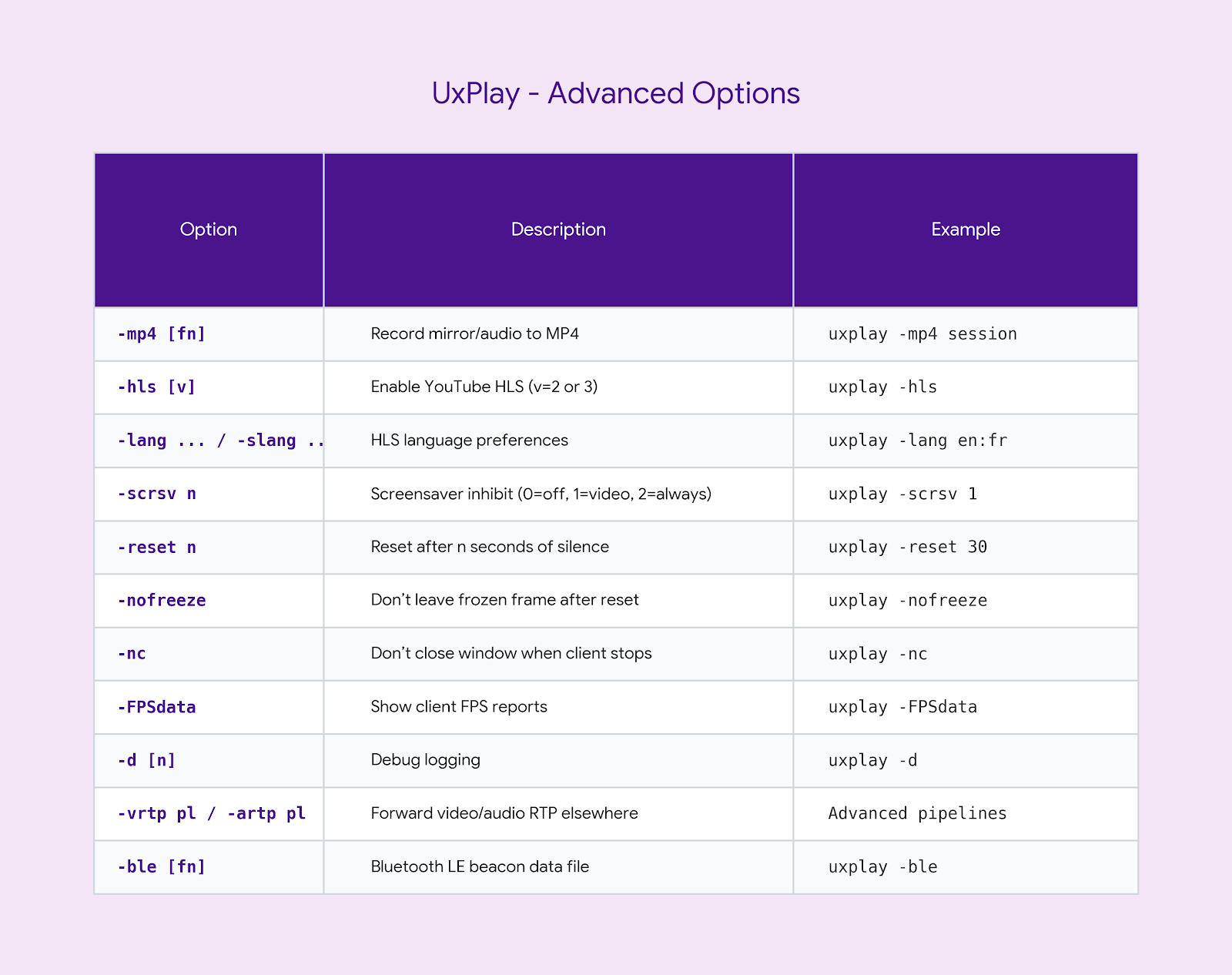
UxPlay Advanced Options

Option Description Example
-mp4 [fn] Record mirror/audio to MP4 uxplay -mp4 session
-hls [v] Enable YouTube HLS (v=2 or 3) uxplay -hls
-lang ... / -slang ... HLS language preferences uxplay -lang en:fr
-scrsv n Screensaver inhibit (0=off, 1=video, 2=always) uxplay -scrsv 1
-reset n Reset after n seconds of silence uxplay -reset 30
-nofreeze Don’t leave frozen frame after reset uxplay -nofreeze
-nc Don’t close window when client stops uxplay -nc
-FPSdata Show client FPS reports uxplay -FPSdata
-d [n] Debug logging uxplay -d
-vrtp pl / -artp pl Forward video/audio RTP elsewhere Advanced pipelines
-ble [fn] Bluetooth LE beacon data file uxplay -ble